
Horde 2 Winter: Slot Game Guide, Features & How to Play | LuckyCola
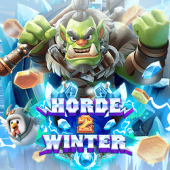
Horde 2 Winter is a slot game on LuckyCola, and the useful first step is to check its rules and available settings before choosing a stake. This guide gives you a straightforward way to understand the game and decide whether its format suits your session.
More slot games to explore


What makes Horde 2 Winter a slot game?
In short, Horde 2 Winter is a slot title intended to be explored through its displayed game rules, controls, and round settings. Its category tells you the broad format, but the in-game information panel is the reliable place to check the specific symbols, features, and conditions currently presented to players.
Treat Horde 2 Winter as entertainment rather than a source of income. Before you start, take a moment to review the screen and identify how a round is initiated, where the stake is shown, and whether any optional features are available. Game details can vary by version or platform, so avoid assuming a feature or payout that is not described in the rules provided with the game.
If you are comparing slot titles, use concrete information rather than a promise of results. Read the paytable and any feature descriptions, then decide whether the pace and presentation appeal to you. A clear understanding of the game interface can make the first session less confusing, even though it cannot predict the outcome of any spin.
To sample another style of entertainment, you can also explore Coin Lamp from the nearby game selection. Each title has its own help screen and terms; check those independently instead of carrying assumptions from one game into another.
A beginner’s first look at Horde 2 Winter
For a first visit, prioritize the rules, bet range, and session limit before starting a round. Horde 2 Winter should be approached at a pace you can comfortably manage; there is no need to rush through controls or increase a stake to understand the game.
- Read the game information: Check the paytable, symbol explanations, and feature descriptions shown in the title itself.
- Confirm the displayed stake: Make sure the selected amount is clear before you activate a round, and choose only an amount within your personal entertainment budget.
- Look for practice options: If a demo mode is offered, it can help you learn the interface without treating practice as a forecast of real-money results.
- Set a stopping point: Decide in advance how much time and money you are willing to spend, and stop when that limit is reached.
A Horde 2 Winter Demo, if available in your current game view, is useful for recognizing controls and reading the flow of a round. Availability and the exact practice experience depend on what the platform displays. A demo does not guarantee that real-play outcomes will match it, so use it only to become familiar with the interface.
You can compare presentation and pace with another slot by opening Gummy Giga Match. Do not rely on a title name or a visual theme to infer volatility, a return rate, or a maximum prize; verify those details in the relevant rules if they are stated.
How to begin a Horde 2 Winter session
The simplest way to begin is to open the game, review its controls, select a comfortable setting, and only then start a round. Follow the information shown on screen, as the available options may depend on your device, account, and current game version.
- 1. Open the title: Use the game tile on this page to continue to the platform’s game experience. Sign in or follow the platform’s displayed access steps if prompted.
- 2. Check the instructions: Find the help or information control and review how a round works, what each control does, and which rules apply.
- 3. Choose a limit: Confirm the wager and any available session controls. Start with a modest setting that fits your budget rather than increasing it to chase a result.
- 4. Play at your own pace: Activate a round only when ready, observe what the game displays, and take a break whenever you need one.
- 5. Review and stop: Check your session against the limits you set beforehand. Do not continue simply to recover previous losses.
If you prefer to play on a smaller screen, LuckyCola mobile access may be available through the responsive site. Check that text and controls are readable on your device, and use the official platform’s instructions if you choose a LuckyCola app download. Never install an application from an unverified source, and check current account and device requirements before proceeding.
For visitors who want a different game category, Baccarat B offers a live-casino alternative in the site’s listed games. That title has separate rules and controls; read its own information before deciding whether to play.
Which Horde 2 Winter features are worth comparing?
Compare the available rules, bet range, control options, and device readability rather than expecting one title to guarantee a better result. These practical checks help you choose a game that suits your preferences while keeping the decision grounded in information the platform actually provides.
| What to compare | What to check | Why it helps |
|---|---|---|
| Rules and features | Paytable, symbols, and feature explanations | Clarifies the game’s stated mechanics before play |
| Bet settings | Displayed minimum, maximum, and selected stake | Helps keep each choice within a planned budget |
| Controls | Spin, optional settings, and stop controls | Makes it easier to use the interface deliberately |
| Mobile presentation | Readable labels and accessible buttons | Supports a more comfortable small-screen session |
| Session boundaries | Personal time and spending limits | Encourages a planned stopping point |
A Horde 2 Winter Demo can be considered when the interface offers a practice option, but it is not a substitute for checking the real-play rules and settings. Compare only features that are expressly shown; neither a demo nor a previous round can predict future outcomes.
If variety is your priority, try opening Cowboys as another game option and review its own description. For a second slot choice, the Night Market listing can help you compare presentation. These are separate titles, not claims that one is more rewarding than another.
Your comparison should end with a simple question: does the format fit the kind of short, controlled entertainment session you intended? If the answer is unclear, pause and reread the rules instead of increasing your stake. Keep your spending separate from essential expenses, and do not play when tired, distressed, or under pressure.
Ready to explore Horde 2 Winter?
Review the rules and your limits first. When you are ready, continue to the LuckyCola game experience and choose whether the slot format is right for you.